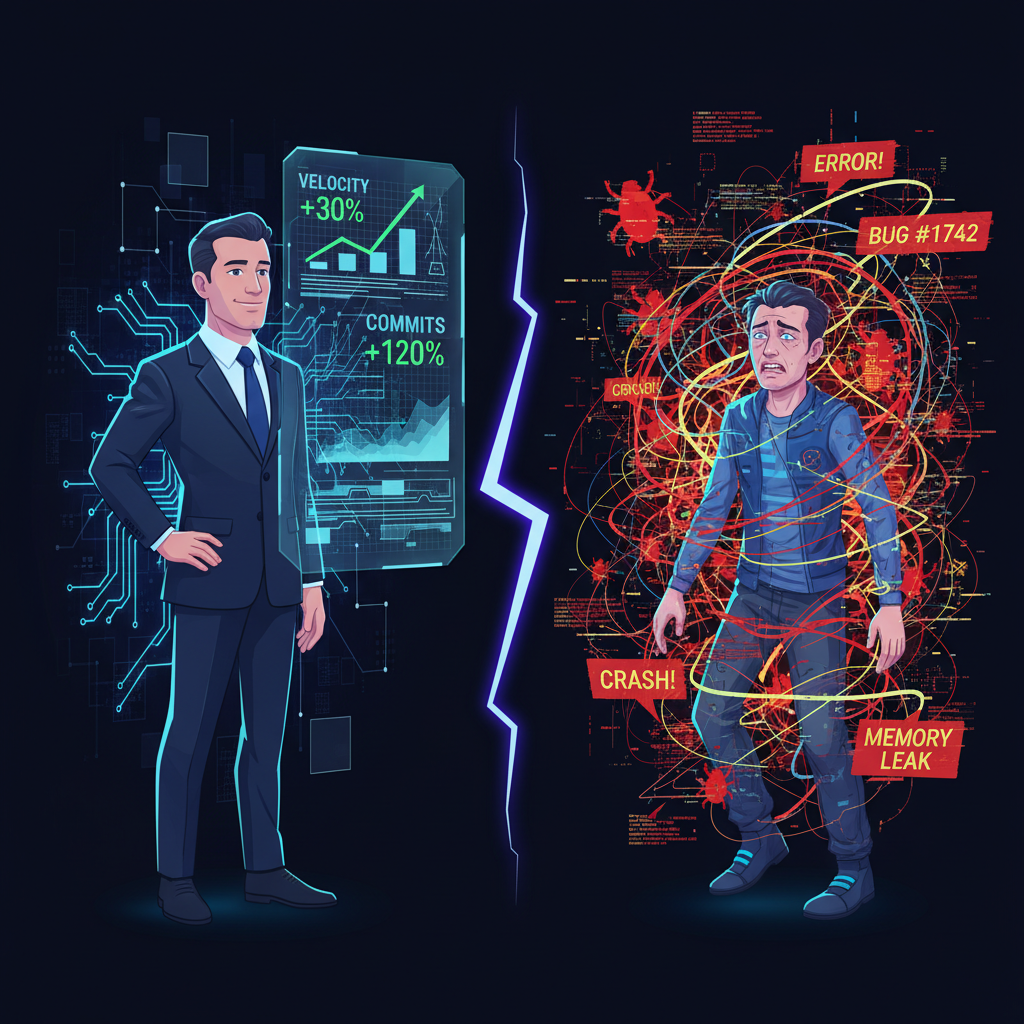
The Manager's Blind Spot: When Higher Velocity Hides Higher Cost
The Manager’s Blind Spot
Your dashboard looks great.
Commits per week: up 23%. PR cycle time: down. Story points completed: highest in three quarters. The team adopted AI coding tools four months ago, and the velocity graph confirms what everyone hoped. Faster. More. Better.
Except you’re measuring the wrong things. The numbers that went up are the ones AI inflates by design. The numbers that went sideways — or worse — aren’t on your dashboard.
What the Dashboard Shows
AI coding tools are optimized for one thing: reducing the time between intent and code. A developer thinks “I need a retry handler with exponential backoff” and has working code in 30 seconds instead of 15 minutes.
That speed shows up everywhere managers look. More commits. More PRs. More lines changed. The velocity metrics that drive sprint reviews and quarterly planning light up green.
A reasonable manager sees these numbers and concludes: the tool works. Ship more. Move faster. The ROI case writes itself.
Here’s the problem. Every metric that improved measures production. None of them measure what production costs the humans doing it.
What the Dashboard Doesn’t Show
Bug density. Uplevel Data Labs analyzed 800 developers over six months — three months before GitHub Copilot access, three months after. PR throughput stayed flat. Cycle time didn’t improve. But bug rate increased 41%. Not a small signal buried in noise. A 41% increase across a sample of 800 people.
The bugs weren’t random. AI-generated code introduces failure modes that differ from human-written code. Hallucinated API calls. Plausible-looking logic with edge cases the model didn’t consider. Code that passes the tests the developer wrote but fails the tests nobody thought to write. Each bug looks correct at first glance. Finding it requires a second, slower look.
Code churn. GitClear analyzed 211 million changed lines across repositories owned by Google, Microsoft, Meta, and enterprise companies from 2020 to 2024. In 2020, 5.5% of newly added code was revised within two weeks. By 2024, that number hit 7.9%. Code duplication grew from 8.3% to 12.3% of changed lines — roughly 4x. Refactoring — lines moved rather than added or deleted — dropped from 24.1% to 9.5%.
More code. Less refactoring. More duplication. More churn. The velocity graph goes up. The codebase health goes down. But codebase health doesn’t appear in sprint reviews.
Coordination cost. Siddhant Khare, an AI infrastructure engineer, described this shift precisely: “AI reduces the cost of production but increases the cost of coordination, review, and decision-making. And those costs fall entirely on the human.”
Before AI, one developer spent a full day on a design problem with deep focus. After AI, the same developer handles six problems through rapid context-switching. Output per day: higher. Cognitive load per day: dramatically higher. The bottleneck moved from production to evaluation. And evaluation doesn’t generate commits.
A manager watching the dashboard sees six problems solved. They don’t see the decision fatigue accumulating behind the output. They don’t see the developer who went home at 6 PM with nothing left — not from writing code, but from reviewing it.
Review burden. AI-generated code requires more careful review than human-written code. A colleague’s code follows patterns you recognize. You know their habits, their conventions, their typical mistakes. AI-generated code follows no consistent pattern. Each review demands full attention because you can’t predict where the problems will be.
The person who used to review three PRs a day now reviews seven. Each one takes longer per line. The total review hours went up. But “review hours” isn’t on the dashboard. “PRs merged” is.
The Brain Fry Problem
BCG researchers surveyed nearly 1,500 US workers in early 2026. They coined a term: “AI brain fry.” Mental fatigue from excessive use or oversight of AI tools beyond one’s cognitive capacity.
The numbers are specific. Workers with high degrees of AI oversight — the senior developers reviewing AI output — reported 14% more mental effort, 12% more mental fatigue, and 19% greater information overload compared to those with low AI oversight responsibility.
Symptoms: mental fog, difficulty focusing, longer decision times, headaches. 18% of software engineers and developers reported experiencing AI brain fry.
The BCG researchers separated AI use into categories. Automation — applying AI to routine tasks — didn’t cause brain fry. Oversight — directly monitoring and evaluating AI agents — did. The type of AI use that managers reward most (shipping faster) produces the type of cognitive load that burns people out.
And burnout doesn’t appear on the velocity dashboard until it’s too late. It shows up as a resignation letter three months from now.
The Invisible Cost Equation
Here’s the math nobody runs.
Visible gains: 10 hours saved on code generation per developer per week. Real. Measurable. Celebrated in all-hands meetings.
Invisible costs:
- 6 extra hours of code review per developer per week (AI code needs closer reading)
- 3 extra hours debugging AI-specific failure modes (hallucinated APIs, edge case blindness)
- 2 extra hours of coordination overhead (more output = more integration = more merge conflicts)
- Unquantified: decision fatigue, thinking atrophy, growing dependency
Net productivity change: somewhere between marginal and negative. But the visible gains are loud and the invisible costs are silent. Managers celebrate the gains. Nobody measures the costs.
The Uplevel study confirmed this at scale. After controlling for all variables, Copilot access produced no significant improvement in PR throughput, cycle time, or developer experience. Zero. The only metric that moved significantly was bug rate. It went up.
What Managers Miss
The blind spot isn’t stupidity. It’s structural. Managers see what they’re equipped to see.
Sprint velocity: visible. Story points: visible. Commit frequency: visible. PR merge rate: visible.
Developer cognitive load: invisible. Review quality degradation: invisible. Dependency formation: invisible. Concealment of AI usage: invisible. Late-night sessions driven by near-miss loops: invisible.
The developers aren’t reporting these costs because they’re hiding how much they use AI. The dashboard doesn’t capture them because dashboards measure output, not the human cost of producing it. And the vendor selling the AI tool has no incentive to measure the costs their product creates.
So the manager optimizes for what they can see. More velocity. More AI adoption. Higher quotas now that “everyone has a copilot.” The feedback loop tightens: AI makes the dashboard look better, the dashboard drives decisions, decisions push more AI, more AI inflates the dashboard.
Nobody asks the developer who shipped six features this sprint how they feel. Or how they slept. Or whether they could have solved any of those problems without the tool.
What to Track Instead
You don’t need to abandon AI tools. You need to measure what matters.
Bug-to-commit ratio over time. More commits should not mean more bugs. If your bug rate climbed after AI adoption, you have a quality problem that velocity metrics are hiding.
Code churn rate. What percentage of this week’s code will be rewritten within two weeks? If the number is climbing, you’re producing disposable output. Fast disposable output is still disposable.
Review hours per PR. Track this before and after AI adoption. If review hours per PR went up, your “productivity gain” is partially a cost transfer from the writer to the reviewer.
Developer self-reported cognitive load. Ask directly, weekly. “On a scale of 1-10, how mentally drained were you at the end of this week?” Compare to the same question from six months ago. If load went up while output went up, you’re burning fuel faster, not making the engine more efficient.
Late-night commit patterns. Are developers committing code after 10 PM more often than before AI adoption? The 3 AM Refactor isn’t a productivity story. It’s a compulsion story.
Dependency check. Ask your team: “If the AI tool was unavailable for a full week, how much would your output drop?” If the answer is “50% or more,” you have operational dependency. That’s a risk, not a feature.
The Uncomfortable Question
Managers asking “how do we get more from AI tools?” are asking the wrong question.
The right question: “What is the full cost of the output our AI tools produce — including the costs that don’t appear on the dashboard?”
AI reduces production cost. It increases coordination cost, review cost, quality assurance cost, and cognitive load. Those costs fall entirely on the human. And the human doesn’t show up on the velocity graph.
Until they leave.
The OnTilt Self-Check measures six dimensions of AI work patterns. Two of them — Negative Consequences and Loss of Control — map directly to what this article describes. Your developers can take it anonymously. 14 questions. 3 minutes. No identifying data collected.
If you’re a manager, consider sharing it with your team. Not as a mandate. As a mirror.
Sources:
- Uplevel Data Labs. (2024). “Gen AI for Coding Research Report.” 800 developers, GitHub Copilot, 6-month analysis. 41% bug rate increase, no significant productivity gain. resources.uplevelteam.com
- GitClear. (2025). “AI Copilot Code Quality Research.” 211 million changed lines, 2020–2024. Code churn up (5.5% → 7.9%), duplication up 4x (8.3% → 12.3%), refactoring down (24.1% → 9.5%). gitclear.com
- Kellerman, G.R. & Kropp, M. (2026). “AI Brain Fry” study. BCG / Harvard Business Review. ~1,500 US workers. 14% more mental effort, 12% more fatigue, 19% more information overload among high-AI-oversight workers. Fortune
- Khare, S. (2026, February 8). “AI Fatigue Is Real and Nobody Talks About It.” siddhantkhare.com. Quote: “AI reduces the cost of production but increases the cost of coordination.”
OnTilt is a research project studying behavioral patterns in AI-assisted work. The quiz is a self-check tool, not a diagnostic instrument. Read more on our About page.